by Nicole Hennig | Sep 9, 2014
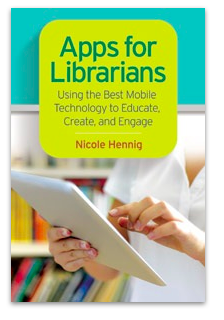 Hey everyone! I just wanted to let you know that my book: Apps for Librarians – Using the Best Mobile Technology to Educate, Create, and Engage is going to be available next week.
Libraries Unlimited has set the publication date at September 14.
It will be available in paperback for $45, and there will also be an ebook version (I don’t know the price and release date for that yet).
If you have any doubts about the importance of app-literacy for librarians, see my post, “Why the move to mobile is an opportunity for librarians.”
Please help spread the word. Thanks!
by Nicole Hennig | Sep 2, 2014
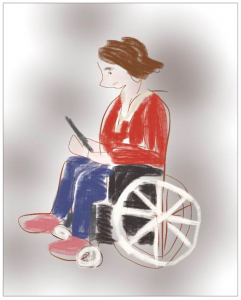
Apple’s iOS has many
useful accessibility features.
(Image by meadowsaffron on Flickr).
When I think of an iPad or iPhone, with its totally smooth screen and beautiful visuals, it’s hard to imagine it working well for a blind person. That’s what I thought until I came across this story:
How the Blind Are Reinventing the iPhone.
It tells the story of using the built-in VoiceOver feature of iOS (it’s a screen-reader), along with an app called Sendero GPS Lookaround for finding your way around town. Apps like these are being created by the blind, for the blind, and improving their lives in interesting ways.
From the article:
“For its fans and advocates in the visually-impaired community, the iPhone has turned out to be one of the most revolutionary developments since the invention of Braille. That the iPhone and its world of apps have transformed the lives of its visually impaired users may seem counter-intuitive — but their impact is striking.”
(more…)
by Nicole Hennig | Aug 14, 2014
The move to mobile is empowering for all types of users, from toddlers to the elderly. It’s also great for people with various types of disabilities — which could be anyone at different times in their lives.
(more…)
by Nicole Hennig | Jun 9, 2014
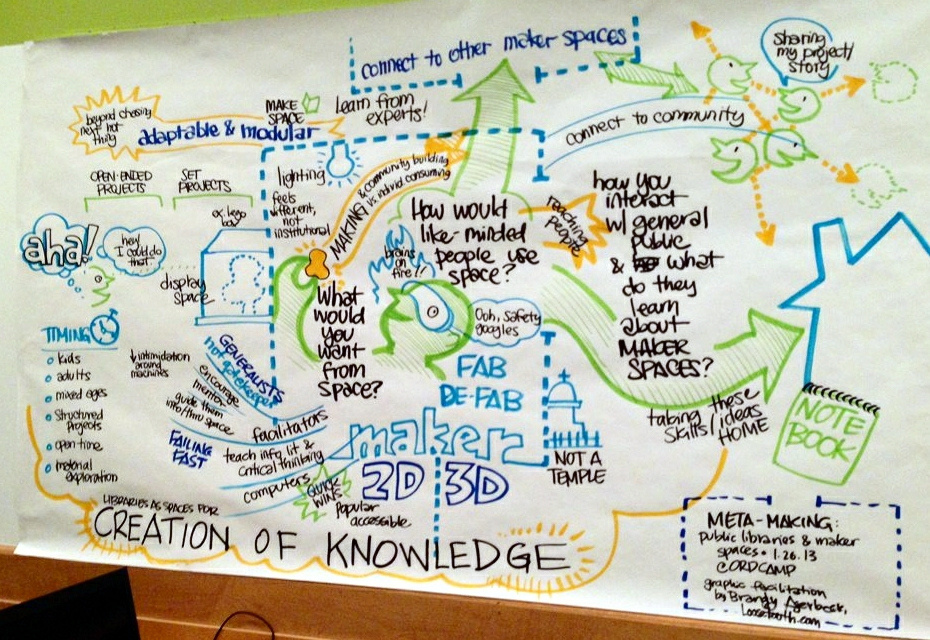
Chicago Public Library makerspace visualization
(Katie Day on Flickr).
p.s. If you liked this post, you might enjoy my newsletter: Mobile Apps News. It’s an easy way to stay current with the world of mobile apps for education.
by Nicole Hennig | May 27, 2014
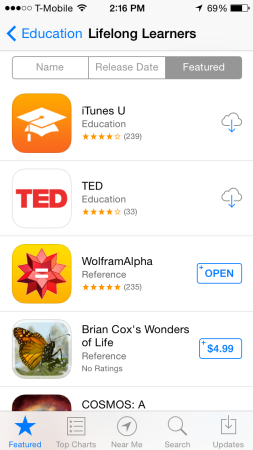
Lifelong learners subcategory.
In this post I’m focusing on Apple’s app store for iOS, because that’s the one I’m familiar with as an iPhone and iPad user.
If anyone has tips for searching the Google Play store and other Android app stores, let me know – it’s a possible topic for another post.
It’s easy to miss all the categories and subcategories that can help you find useful apps.
1. Find the “categories” menu in the App Store and make a list of your favorite categories. I like to look at Books, Business, Education, Music, Navigation, News, Photo & Video, Productivity, Reference, Social Networking, Travel, and Utilities.
Pick a category and then browse the “best new apps.” You’ll also notice sub-categories to browse. Those can be very useful because they are specific. For example in Utilities, some subcategories are “keeping time,” “delivery status,” “calculate & convert.”
2. Also browse the Editor’s Choice section, found in the Featured section of the app store. It’s a regularly updated section of apps recommended by Apple and is worth visiting. (more…)
by Nicole Hennig | May 23, 2014
What are the best apps for librarians to know about and use? To answer that, consider two things: 1) Librarians use apps for their own professional work, and 2) Librarians recommend apps to their users for all sorts of tasks.
So asking this is kind of like asking “what are the best books for librarians?” It’s too broad!
In spite of that, there are some core, standard apps that everyone who recommends apps should be familiar with. These are core for the following reasons:
- They have been around for more than a year and usage is growing.
- They are part of an ecosystem that works as native mobile app, web app, and possibly a desktop app.
- They offer easy ways to send information into and out of these apps.
- They cover the most basic, useful things that people want to do with their mobile devices.
So given that, here’s my list:
(all are for both Android and iOS, except Fantastical and iBooks) (more…)
