by Nicole Hennig | May 27, 2014
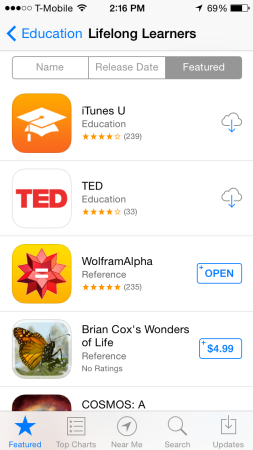
Lifelong learners subcategory.
In this post I’m focusing on Apple’s app store for iOS, because that’s the one I’m familiar with as an iPhone and iPad user.
If anyone has tips for searching the Google Play store and other Android app stores, let me know – it’s a possible topic for another post.
It’s easy to miss all the categories and subcategories that can help you find useful apps.
1. Find the “categories” menu in the App Store and make a list of your favorite categories. I like to look at Books, Business, Education, Music, Navigation, News, Photo & Video, Productivity, Reference, Social Networking, Travel, and Utilities.
Pick a category and then browse the “best new apps.” You’ll also notice sub-categories to browse. Those can be very useful because they are specific. For example in Utilities, some subcategories are “keeping time,” “delivery status,” “calculate & convert.”
2. Also browse the Editor’s Choice section, found in the Featured section of the app store. It’s a regularly updated section of apps recommended by Apple and is worth visiting. (more…)
by Nicole Hennig | May 24, 2014

The world needs more high quality app reviews. Have you noticed that most reviews in Apple’s app store are not well-informed? Many people dash off a tech support question, or write something based on a misunderstanding of what the app does.
Librarians have been reviewing books for years. Now is the time to do the same with mobile apps.
App Review Checklist
Here’s a checklist I’ve developed as a guideline for reviewing mobile apps. (more…)
by Nicole Hennig | May 23, 2014
What are the best apps for librarians to know about and use? To answer that, consider two things: 1) Librarians use apps for their own professional work, and 2) Librarians recommend apps to their users for all sorts of tasks.
So asking this is kind of like asking “what are the best books for librarians?” It’s too broad!
In spite of that, there are some core, standard apps that everyone who recommends apps should be familiar with. These are core for the following reasons:
- They have been around for more than a year and usage is growing.
- They are part of an ecosystem that works as native mobile app, web app, and possibly a desktop app.
- They offer easy ways to send information into and out of these apps.
- They cover the most basic, useful things that people want to do with their mobile devices.
So given that, here’s my list:
(all are for both Android and iOS, except Fantastical and iBooks) (more…)
